
What it does
Your store's repairs in Desk, kept against each unit's serial number, so every unit's service history is one list.
What it does
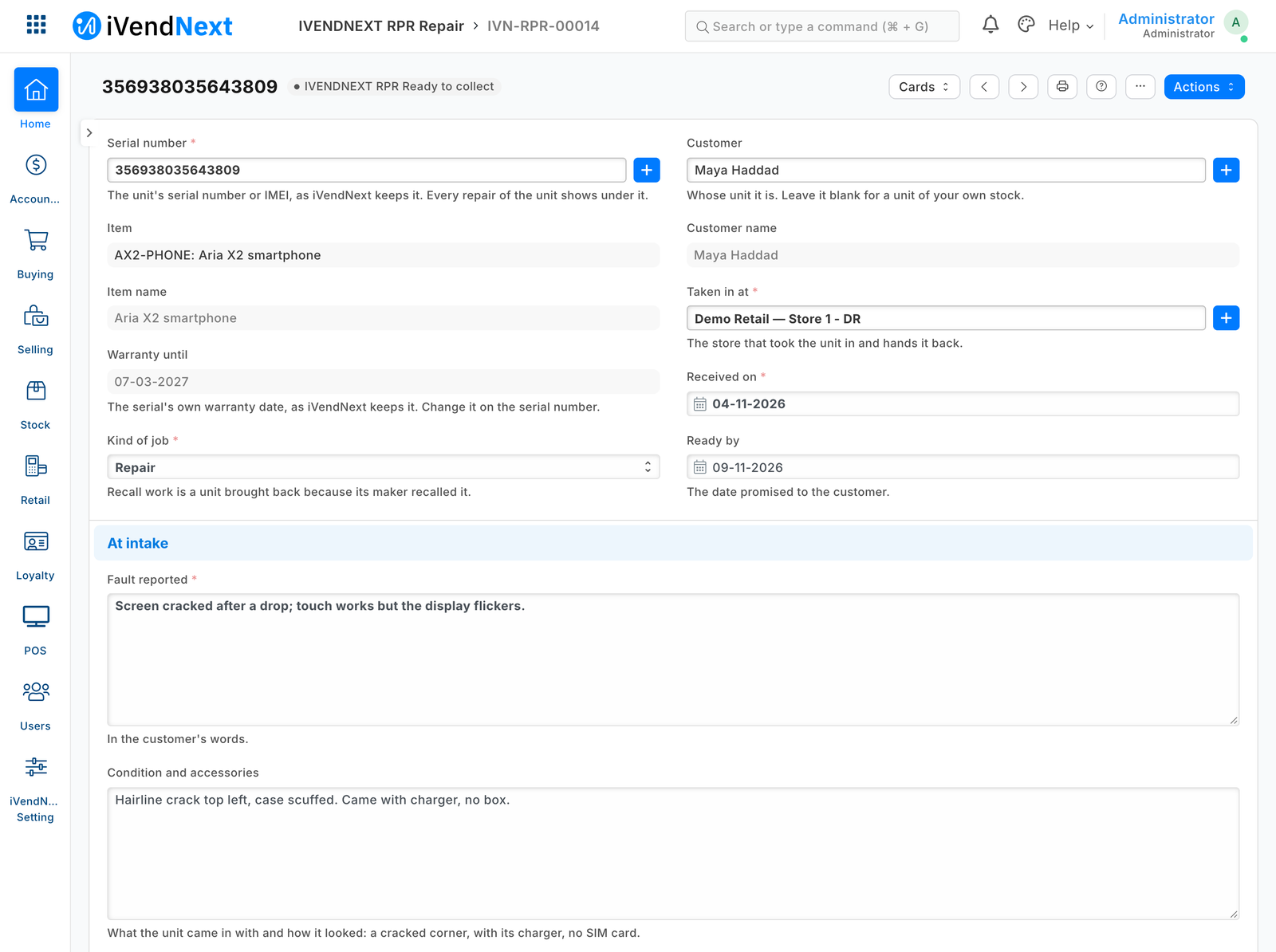
- IVENDNEXT RPR Repair: the serial (its item and warranty date read from it), the customer, the fault, the condition and accessories at intake; tests, work done, parts fitted with their serials.
- Received, In repair, Ready to collect, Collected; once collected it is locked. The slip prints under your letter head, with a tag for the unit. A manager cancels a repair in work.
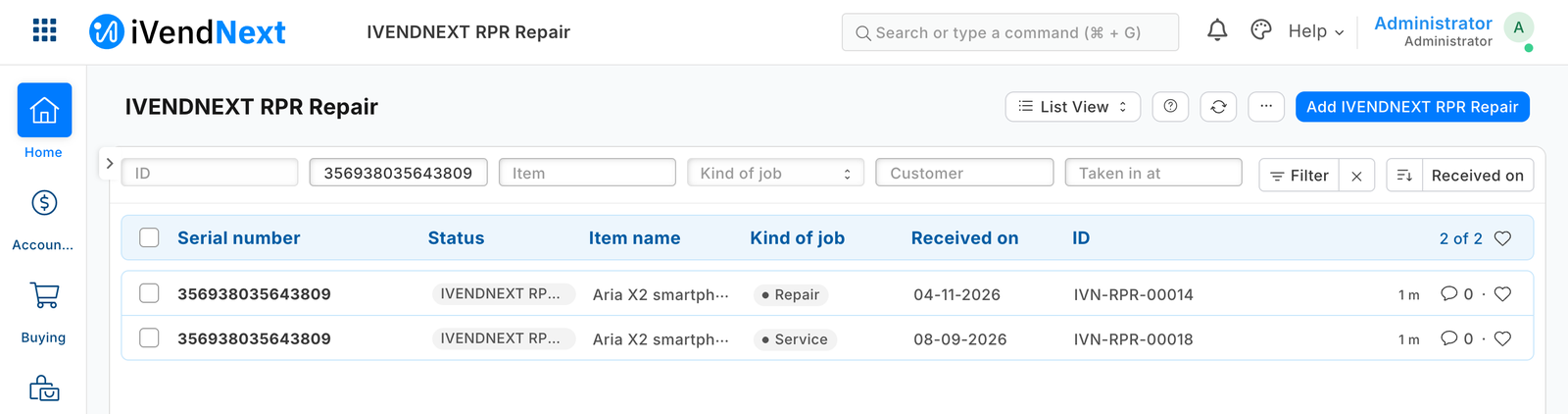
- Each serial lists its repairs; Open repairs lists those not collected, by the date promised; a Material Issue's Repair field names the repair its parts went to.
How to set it up
- Switch the lock on: Retail Save Rule, IVENDNEXT RPR repair locked once collected, tick Enabled. It installs switched off.
- Role Permissions Manager, Serial No: add a rule for Sales User and Sales Manager (Read, as it comes), so the counter sees a serial's item and warranty.
- Give the repair counter Sales User; a Sales Manager cancels a repair in work. Put your store's details on your Letter Head.
- Whoever takes parts out of stock holds Stock User, which reads repairs. No Stock Entry Type Material Issue on your site? Add one, purpose Material Issue.
Good to know
- The app calls nothing outside and moves no money or stock: the till charges the repair as a service item. Tell customers a unit is ready with your own Notification.
- A recall by serial needs no app: Serial No Ledger names who bought each serial; move unsold units to a store no till sells from; log returns as Recall work.
- Customers' details are personal data you keep; Stock User reads them too. Desk shows buttons with the prefix. Uninstalling removes repairs and the Stock Entry field; its export keeps them.
- Adds
- 1 new list · 1 new field on Stock Entry · 1 print layout · 1 report · 1 approval flow · 3 links between records · 1 check when saving
- Used by
- Sales User, Sales Manager, Stock User
- Licence
- Apache-2.0
Version and changes
Version 1.0.0 · 29 Oct 2026
1.0.0 (29 Oct 2026): First listed version.
Need it your way?
An iVendNext partner can tailor this app to how your stores work: your own fields, rules and screens, delivered to your site alone. Ask your partner, or ask us through Help to introduce one in your region.
For builders: this app's code is open in the Partner Kit (Apache 2.0) · The code · How to make it your own
Related apps
Counter hardware
Connects the counter's cash drawer, receipt printer and customer pole display to the till. Set up each counter once in Desk; the counter's computer runs QZ Tray.
Age-restricted sale check
For alcohol, tobacco, vapes and other restricted goods: the till shows the date of birth to check at the scan, records the ID check on the sale, and refuses Pay without it.
Alterations and made-to-measure tickets
A ticket for each alteration and made-to-measure piece, from the counter to the hand-over: the garments and the work, measurements, fittings, a slip with a garment tag, and the tickets due.
Click and collect
A Desk board for the web orders a store must pick and hand over: the web orders still to pick, and on each delivery note who collected it. Nothing leaves your shop.