
What it does
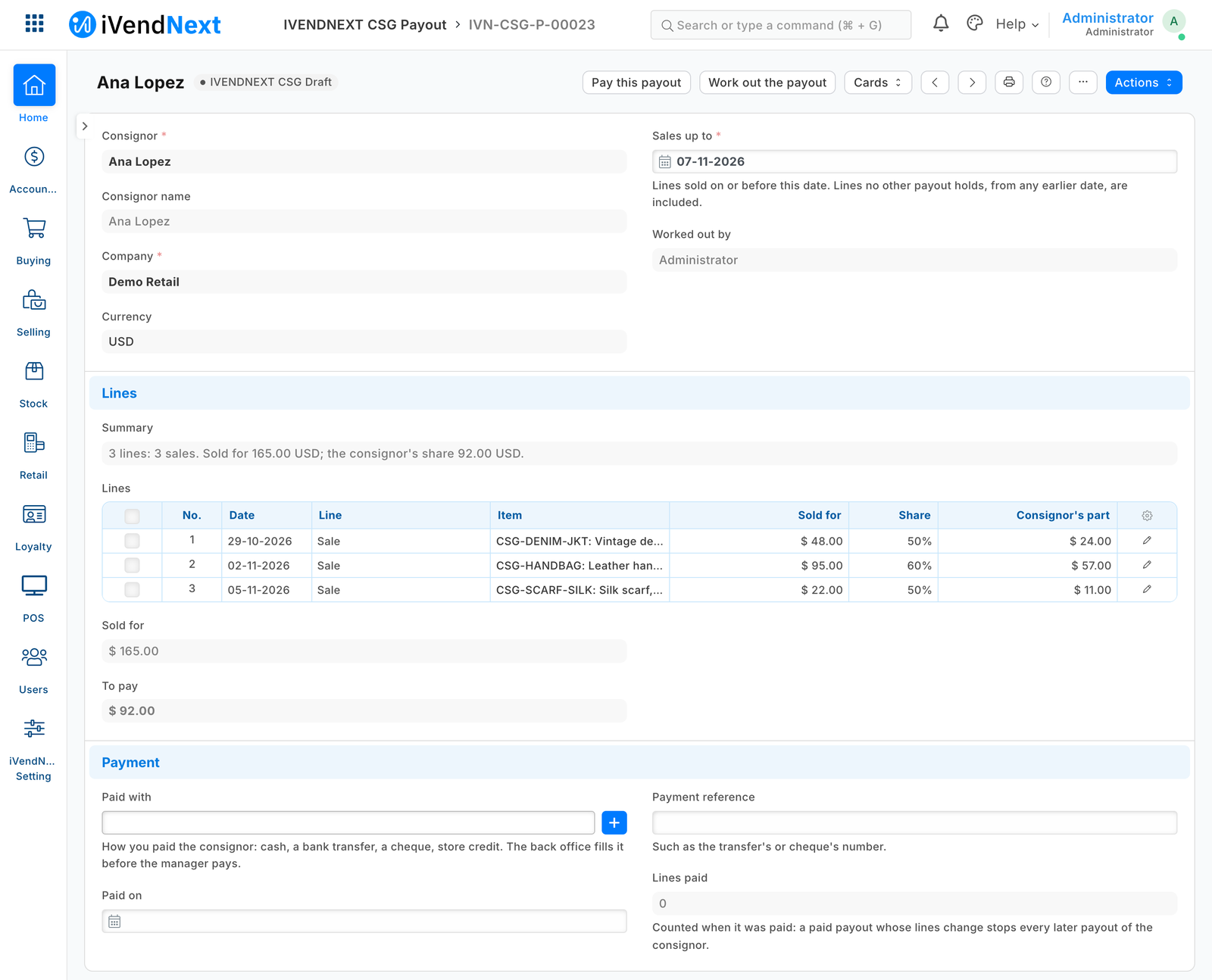
Name the consignor on each piece you take in; each payout then lists exactly what sold since the last one, at their share.
What it does
- Consignors with their share; on Item, each piece's consignor and, where it differs, its own share.
- Work out the payout: every sold line no other payout holds, from till sales and Desk invoices (never the day's combined invoice), returns negative. One draft a consignor.
- Pay this payout: the app checks each line again, then marks it Paid; only its own role may. A paid payout is locked.
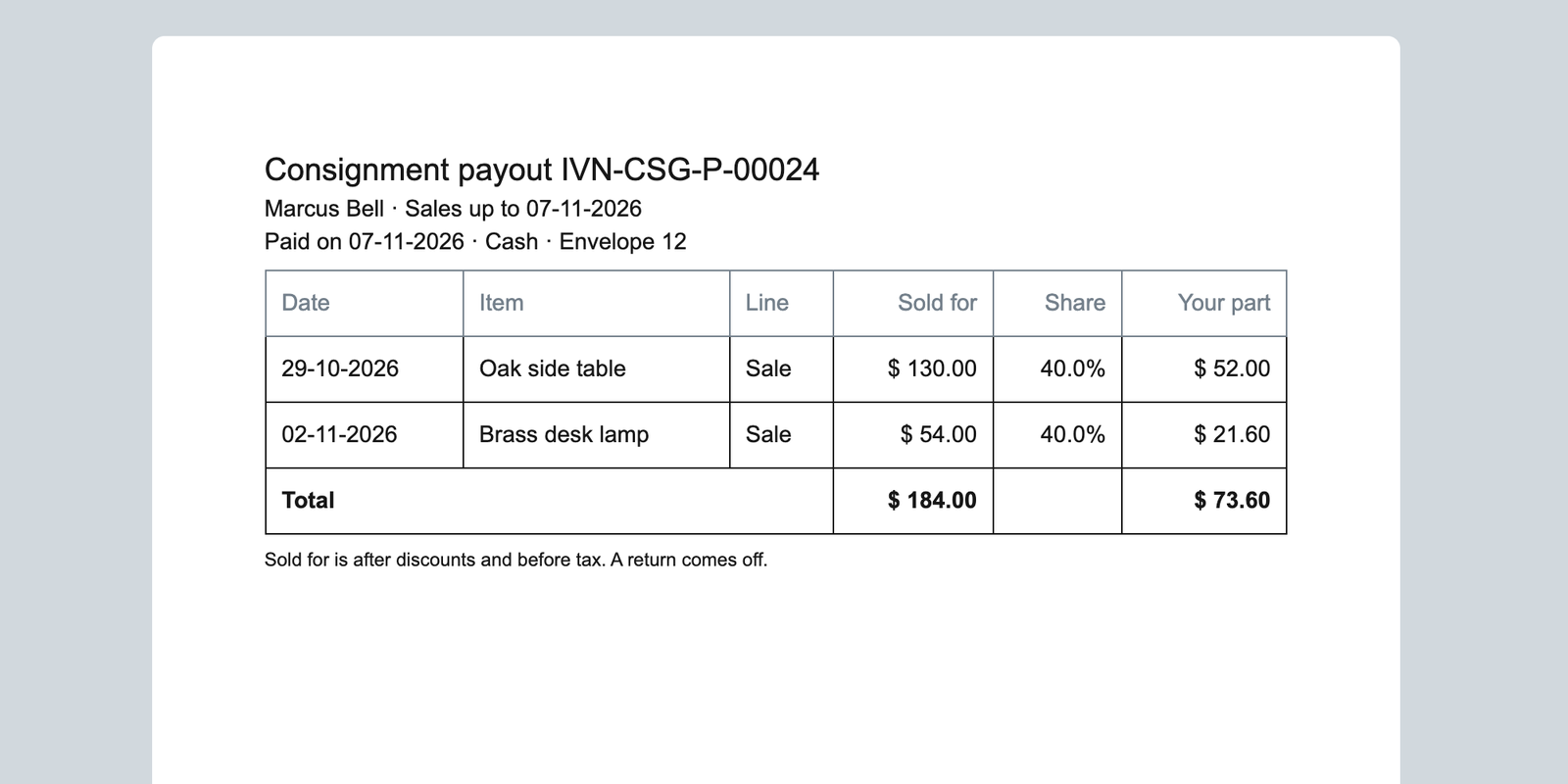
- A cancelled sale already paid is taken back once on the next payout; Cancel on a paid payout frees its lines. A statement to print.
How to set it up
- The install makes the app's own user (API only, role IVENDNEXT CSG Integration) and your site connects it. It gets read on POS Invoice, Sales Invoice, Item and Retail Save Rule (POS 2.1.0.691 or later; before it, give them yourself).
- In Retail Save Rule, switch on IVENDNEXT CSG payout locked once paid: Pay refuses while it is off.
- In Retail Extension Subscription, open the two Consignment payouts services: read, tick the consent, switch on. Switch on the Retail Desk Actions Work out the payout and Pay this payout.
- Sales User keeps consignors; Item Manager names them on items; Accounts User works payouts out and fills how each was paid; Accounts Manager presses Pay.
Good to know
- Each press sends the user and payout name to consignment-payouts.ivendnext.app (CitiXsys, US); it reads the payout (with the consignor's name), their share, items, sale lines and payouts, and writes the payout; never their phone or e-mail.
- The share is the item's or consignor's when worked out. At most 500 lines a payout. Write on Item decides what is paid. A System Manager deleting a paid payout frees its lines.
- Adds
- 2 new lists · 2 new fields on Item · 1 print layout · 1 approval flow · 1 link between records · 1 event feed · 2 till extensions · 2 Desk buttons · 1 check when saving
- Used by
- Accounts User, Accounts Manager, Item Manager, Sales User
- Licence
- Apache-2.0
Version and changes
Version 1.0.1 · 7 Nov 2026
1.0.1 (7 Nov 2026): The install gives the app's user its rights (POS 2.1.0.691).
1.0.0 (30 Oct 2026): First listed version, hosted by CitiXsys.
Need it your way?
An iVendNext partner can tailor this app to how your stores work: your own fields, rules and screens, delivered to your site alone. Ask your partner, or ask us through Help to introduce one in your region.
For builders: this app's code is open in the Partner Kit (Apache 2.0) · The code · How to make it your own
Related apps
Counter hardware
Connects the counter's cash drawer, receipt printer and customer pole display to the till. Set up each counter once in Desk; the counter's computer runs QZ Tray.
Age-restricted sale check
For alcohol, tobacco, vapes and other restricted goods: the till shows the date of birth to check at the scan, records the ID check on the sale, and refuses Pay without it.
Alterations and made-to-measure tickets
A ticket for each alteration and made-to-measure piece, from the counter to the hand-over: the garments and the work, measurements, fittings, a slip with a garment tag, and the tickets due.
Click and collect
A Desk board for the web orders a store must pick and hand over: the web orders still to pick, and on each delivery note who collected it. Nothing leaves your shop.