
What it does
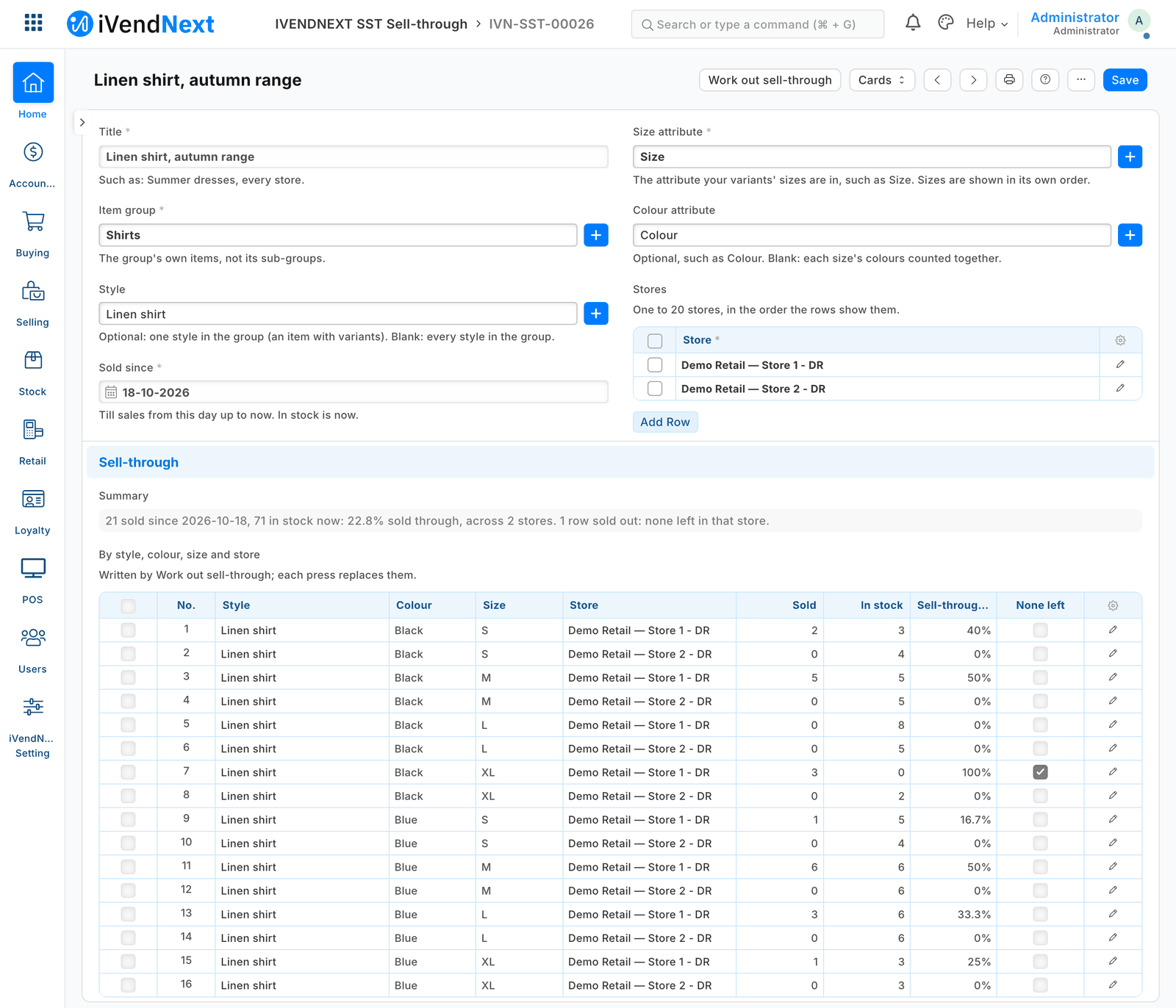
A buyer names a range, the stores and a start date, and presses Work out sell-through: one row per style, colour, size and store.
What it does
- Sold: the till's units since the date, returns taken off. In stock: today's, less till sales not yet out of stock.
- Sell-through %: sold divided by sold plus in stock; None left where a size has run out.
- Sizes and colours in your attributes' own order; each press replaces the rows. A report lists every run's rows.
How to set it up
- The install makes the app's own user (API only, role IVENDNEXT SST Integration) and your site connects it.
- In Role Permission for Page and Report, add that role to POS Sale Report and to Stock Projected Quantity.
- In Role Permissions Manager, give it Read and Report on POS Invoice; Read on Item, Item Attribute, Warehouse and UOM; Select only (Read unticked) on POS Profile, Item Group, Customer, Customer Group.
- In Retail Extension Subscription, open Sell-through: read it, tick the consent, switch it on. Switch on the Retail Desk Action Work out sell-through.
- Give Stock Manager and Sales Manager Select only (Read unticked) on Item Attribute and Warehouse; they add runs in IVENDNEXT SST Sell-through and press the button.
Good to know
- Each press sends the user and run name to sell-through.ivendnext.app (CitiXsys, US); it reads the two reports per store (sale amounts arrive, dropped), your items and attributes, writes the rows. It reads no customer; these rights would let its user list customers and read till sales.
- Sold counts till sales as POS Sale Report does (an undelivered order counts as sold). At most 20 stores and 1,000 rows a run, inside the press's 10 s.
- Adds
- 1 new list · 1 report · 1 event feed · 1 till extension · 1 Desk button
- Used by
- Buyer, Stock Manager, Sales Manager
- Licence
- Apache-2.0
Version and changes
Version 1.0.0 · 29 Oct 2026
1.0.0 (29 Oct 2026): First listed version, hosted by CitiXsys.
Need it your way?
An iVendNext partner can tailor this app to how your stores work: your own fields, rules and screens, delivered to your site alone. Ask your partner, or ask us through Help to introduce one in your region.
For builders: this app's code is open in the Partner Kit (Apache 2.0) · The code · How to make it your own